The memory hierarchy is the layered organization of storage in a computer, from fastest/smallest/most-expensive at the top to slowest/largest/cheapest at the bottom. Each level holds a recently-used subset of the level below it.
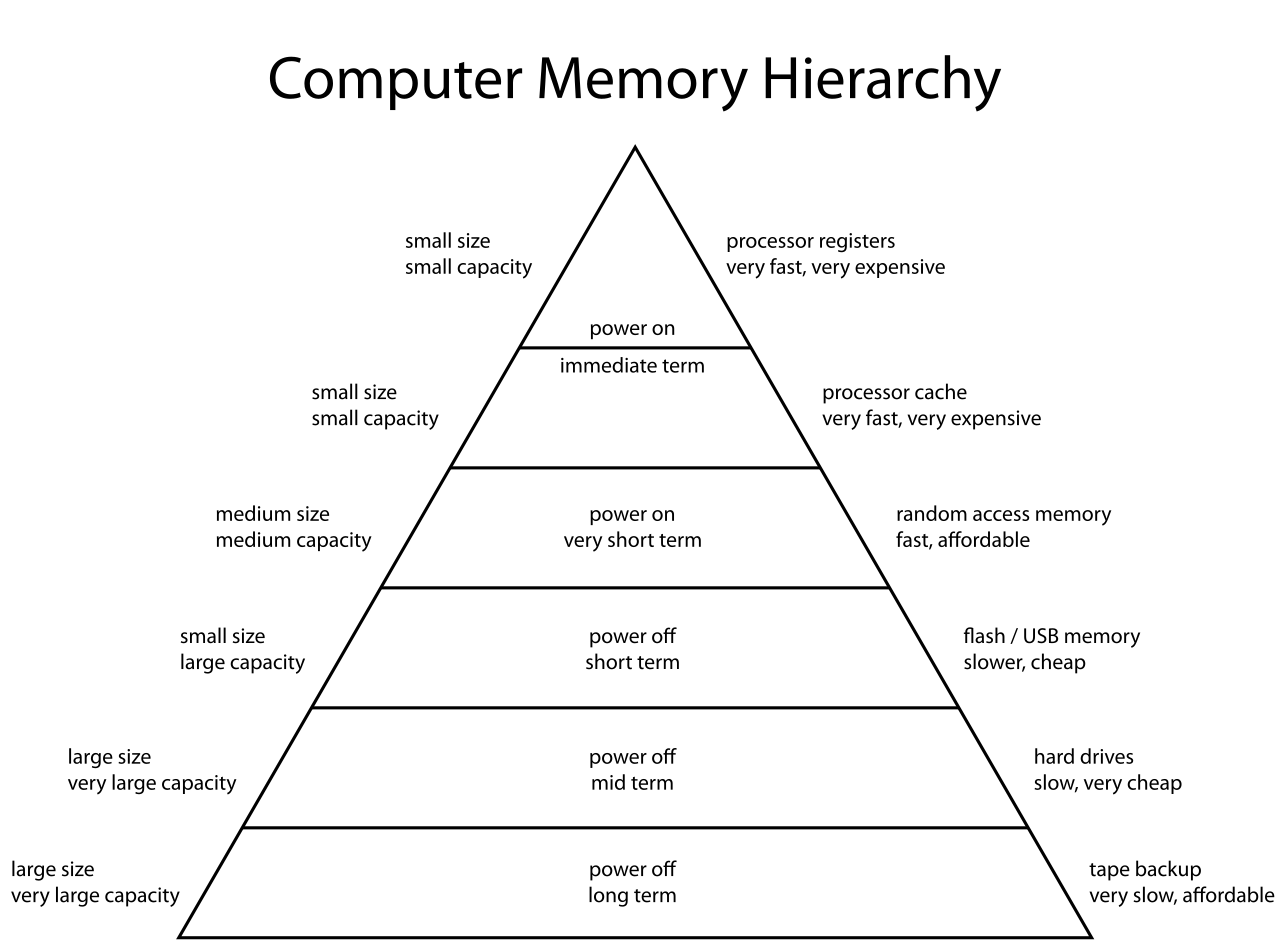 Image: Computer memory hierarchy, Public domain. Memory hierarchy pyramid: fast/small at top (registers, L1), large/slow at bottom (disk, tape).

Typical levels, from fastest to slowest:
- Processor registers: fastest, sub-nanosecond access (one CPU cycle), to bits each, on the order of registers.
- L1 cache: on-chip, splits into instruction cache + data cache, ~ ns (3-4 cycles), tens of kilobytes.
- L2 cache: on-chip, unified, ~ ns, hundreds of kilobytes to a few megabytes.
- L3 cache: on-chip on every mainstream CPU built in the last 15 years (older designs occasionally put it on a separate die or package), ~ ns, tens of megabytes, shared across cores.
- Main memory (DRAM): off-chip, ~ ns, gigabytes.
- SSD / flash: non-volatile, ~– μs, terabytes.
- Hard disk: non-volatile mechanical, ~ ms, terabytes.
- Tape, network storage: slowest, biggest, cheapest per byte.
As a rough rule of thumb each tier is about an order of magnitude slower and 10–100× larger than the one above, but the actual ratios vary noticeably from level to level. L3 (~30 ns) to DRAM (~100 ns) is closer to 3×, while SSD (~50 µs) to HDD (~10 ms) is more like 200×. The “10× per level” framing is a memory aid, not a precise law.
Why the hierarchy works
Programs exhibit locality: they tend to access a small subset of data and code over short time windows. Two flavors:
- Temporal locality: recently used data is likely to be used again soon.
- Spatial locality: data near a recently used address is likely to be used soon.
Caches exploit both. When you access a memory location, the cache pulls in a block (handful of consecutive words) and remembers it for a while. Subsequent accesses to nearby or repeated addresses hit the cache, much faster than going to main memory.
The hierarchy makes the system appear to have the speed of the fastest tier and the capacity of the slowest, by automatically moving data between levels based on access patterns. Programs don’t (usually) know which tier their data is on; the hardware (and OS, for the lower tiers) handles placement transparently.
Trade-offs at each level
Speed comes at a cost in money and silicon area:
- Registers use SRAM cells embedded in the processor: transistors per bit, fastest access but expensive in area. Hence we get only ~ of them.
- L1 cache: SRAM, designed for speed. Tens of thousands of bits.
- L2/L3: also SRAM, designed for density. Millions of bits.
- Main memory: DRAM, transistor per bit. Much denser, much cheaper per bit, but slower (and needs refreshing).
- Secondary storage (SSD, HDD): magnetic or flash, no transistor per bit at all in the active sense. Cheapest, slowest.
- Volatility: tiers above main memory are volatile (data lost when power off). Secondary storage is non-volatile.
The processor literally can’t run as fast as it does without caches. A modern CPU at 3 GHz needs an instruction every ns, but main memory is ns away. Without caches, the processor would spend more time waiting than computing.
Virtual memory extends the hierarchy
Beyond the physical hierarchy, the OS adds Virtual memory which uses secondary storage to extend the apparent size of main memory. When physical RAM fills up, less-used pages get swapped out to disk; when accessed again, they swap back in. This extends the hierarchy by another tier without programs having to know.
The TLB is itself a small cache for virtual-to-physical address translations, a layer in the hierarchy specifically for address mapping rather than data.